Setup OpenClaw for DummiesI Wasted 80 Hours So You Don't Have To
$800 in Anthropic API tokens. 8 agents running on Telegram at the same time — every single one forgot what the others were doing. I made every mistake in the book. This is now the best, most simple way to get an AI agent running. If you can copy and paste, you can do this.
Get these sorted before you open Terminal
- Claude Pro or Max account — This is the brain. Pro is $20/mo, Max is $90/mo. Do not sign up for the Anthropic console — more on this below.
- Brave Search API key — Free at brave.com/search/api. Lets your agent search the web.
- Groq account — Free. Transcribes voice messages so you can talk to your bot.
- Telegram @BotFather — Free. Creates your bot in 2 minutes.
The #1 mistake: signing up for the Anthropic API console and paying per-use. I burned ~$800 this way. Get Claude Pro/Max instead — flat monthly rate, way better value. You want the token from your Claude account, not an API key from the console.
The machine
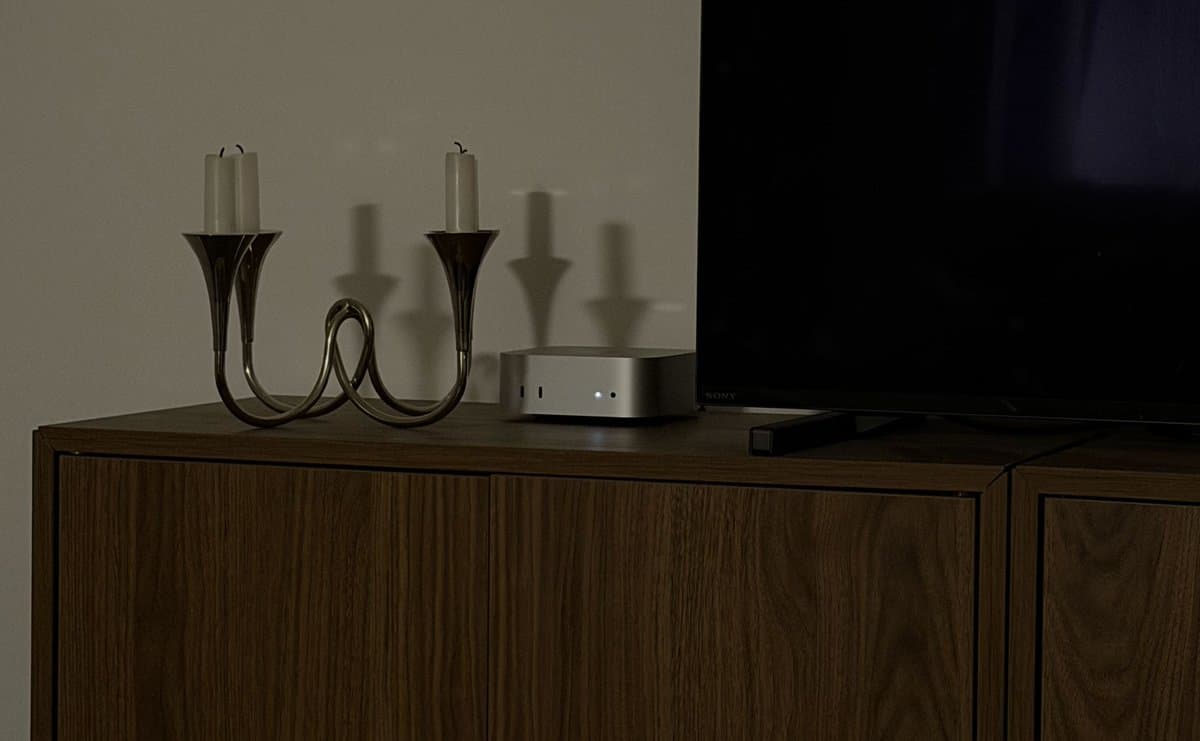
You need a computer that stays on 24/7. Any old laptop works if it never sleeps. I bought a brand new Mac Mini M4 — it sits next to my TV, no monitor, no keyboard. Always on. That's Momo.
If you travel a lot, I'll show you a better path after the setup. Read through once, then decide.
The 8-step setup
Full DIY — you own every piece of it.
1.Install Claude CLI
Open Terminal (Applications → Utilities → Terminal). Paste this in. It installs Claude and opens a login screen.
curl -fsSL https://claude.ai/install.sh | bash2.Get your Claude token
Close and reopen Terminal, then run this. Copy the token to your notes app. Check for a trailing space — it'll break everything later.
claude setup-token3.Install Homebrew + Node.js
Homebrew is the package manager for macOS. Node.js is what runs OpenClaw.
/bin/bash -c "$(curl -fsSL https://raw.githubusercontent.com/Homebrew/install/HEAD/install.sh)"
brew install node4.Install OpenClaw
One command installs OpenClaw globally so you can run it from anywhere.
npm install -g openclaw5.Run OpenClaw onboarding
Hit Yes on the disclaimer. Select Quick Start. Controls: Spacebar to select, Enter to confirm, arrow keys to navigate.
openclaw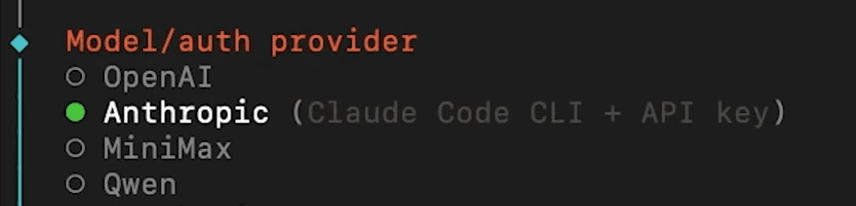
6.Choose your model
When prompted for a model: select Anthropic → then Anthropic Token (NOT Anthropic API). Paste your Claude token. Double-check for spaces.
# Select: Anthropic → Anthropic Token
# NOT: Anthropic API (that's pay-per-use)7.Connect Telegram
Select Telegram from the communications list. Open Telegram, search @BotFather, send /newbot. Pick a name — username must end in 'bot'. BotFather sends you a token. Paste it back here.
# In Telegram:
# 1. Search @BotFather → /newbot
# 2. Pick a username ending in "bot"
# 3. Copy the token and paste it back8.Hatch your bot
Skip the skills list (hit 'skip for now'). Select all three hooks. Then select Hatch in TUI — your bot wakes up for the first time.
# 1. Skip skills → "skip for now"
# 2. Select all three hooks (spacebar)
# 3. Choose: Hatch in TUI
Your first conversation
Your bot will introduce itself in the Terminal. It'll say something like: "Hey, your name is [BotName], my name is [YourName], let's move to Telegram. Here's my pairing key: [key]." Open your bot on Telegram and paste that key when it asks.

Three things to do right after
- Add Brave Search — tell your bot:
"Set up Brave Search, here's my key: [paste]" - Add Groq — tell your bot:
"Set up Groq, here's my key: [paste]" - Install QMD first — ask it:
"Install the QMD skill."Do this before long chats or your bot will lose its memory.
Make it yours
OpenClaw uses three personality files: SOUL.md, USER.md, and MEMORY.md. Leave them empty and your bot sounds like a call center. Fill them in and it becomes genuinely useful.
Send this: "Ask me 10–15 questions one at a time to learn about me — my name, job, goals, how I want you to talk. Then fill in SOUL.md and USER.md." Use voice notes — you'll give more natural answers.
Mistakes I made
- Paid per-use API instead of Claude Max → burned ~$800
- Ran 8 agents at once → all lost context
- Spent money on AWS servers → Mac Mini is simpler
- Left SOUL.md and USER.md empty → bot sounded like a call center
- Installed QMD halfway through → agent kept forgetting
- Ignored voice messages → Groq + voice is a game changer
- Space in my Claude token → HTTPS error for an hour
One problem: what if you're not home?
Everything above works great. There's just one catch: your Mac Mini is at home. When you travel — really travel — a home server gets complicated fast. Power cuts. Router restarts. You can't VNC into it when your ISP changes your IP. I know because I tried to run Momo from 4 different countries.
- Power cut at home = dead agent
- Residential IP changes = broken remote access
- Your Mac Mini can't come with you
This is where I wish I'd known about cloud Mac Mini from day one.
The shortcut: a Mac that's already in the cloud
Mac4Claw is a dedicated Mac Mini M4 in a Swiss data center. OpenClaw comes pre-installed. You SSH in, paste a Telegram token, and you're live — usually in under 5 minutes.
1.SSH into your instance
ssh mac4claw@your-instance.mac4claw.com2.Add your Telegram token to .env
cd ~/openclaw
nano .env
# Set: TELEGRAM_BOT_TOKEN=your-token-here3.Run npm start
npm start
# ✓ Bot is online and listening
Cloud beats local when:
- You travel more than 2 weeks a month
- You want your agent running while your MacBook is off
- You want Tailscale VPN access from any device, any country
- You want MacBook + always-on cloud Mac working together
- You don't want to debug port forwarding at 11pm
Next steps